
Pulse SMS (Phone/Tablet/Web)
Maple MediaCommunication
3.617.36K Reviews
- Version
- 7.0.3.3044
- Installs
- 1.00M
- Age Rating
- Everyone
Screenshots

Our Review of Pulse SMS (Phone/Tablet/Web)
 Analysis by Appyee
I usually judge a texting app less by the first impression than by whether it still earns a place in my routine after the novelty wears off. A polished inbox is nice, but the real test is whether switching between a phone and another screen saves enough effort to become a habit. That is the question I kept in mind while trying Pulse SMS, a communication app from Maple Media.
Where it can fit into an ordinary day
The clearest reason to try it is having a practical place to handle regular SMS conversations when your phone is not the screen you want to use. For example, if I am at a desk and need to send a quick address or answer a family message, typing from a computer can be easier than picking up my phone, unlocking it, and returning to what I was doing. The benefit is not that texting changes; it is that the same conversation can be more convenient to reach from another device.
That convenience matters most for people whose day already moves between phone, tablet, and computer. It is less compelling if you almost always text from your phone and do not mind using its keyboard. I would decide based on that daily friction rather than on how many settings an app offers. A feature only earns its keep when it makes a repeated task easier.
Getting more from the shared inbox
When I use messaging across screens, I find it helps to treat one device as the main place for careful replies and the phone as the quick-check option. Longer messages are easier to compose with a full keyboard, while short answers can stay on the handset. That division can reduce the temptation to keep reaching for the phone during focused work, though it depends on whether you already have the web or tablet version available in your routine.
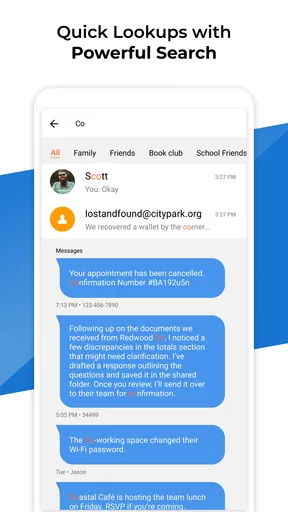
Search and pinned conversations serve different purposes, and using them deliberately is more useful than relying on either alone. I would pin only the threads I return to often, such as a household conversation or a current appointment, and use search when I need to recover a detail from an older exchange. Keeping the pinned area selective makes it a shortcut rather than another crowded list.
Scheduled messages also work best as a small aid, not a substitute for remembering everything. A reminder or a birthday greeting is a sensible use; anything time-sensitive deserves a quick check before relying on a scheduled send. I would also review the recipient and timing before saving a message, especially when a conversation has more than one similar contact. That bit of care prevents a helpful automation from becoming an awkward mistake.
What the switch does—and does not—solve
Pulse SMS is still centered on SMS, so I would not choose it expecting it to replace every messaging service in my life. Friends may use other apps, and group conversations can depend on what the other people use and what their phones support. If your main need is a particular internet-based chat network, its own app is likely the more direct choice. Pulse is most relevant when ordinary text messages remain part of your day and you want a more flexible way to manage them.
It is also worth separating convenience from privacy assumptions. The app’s security and backup options may be useful, but I would not treat a password or fingerprint lock as proof that every message is protected in every situation. Before relying on cloud backup or a security setting for sensitive conversations, I would check the current in-app explanations and decide whether the trade-off suits me. A lock can help protect access on a device, while backup is a separate choice about where message history is kept.
For someone who switches phones or uses more than one screen, message continuity can be a meaningful advantage. For a person who prefers to keep messages only on one handset, adding an account and another interface may feel like extra administration rather than a benefit. That difference is the key trade-off: wider access is useful when you use it, but it also asks you to maintain another way of reaching your conversations.
Have you ever juggled between multiple messaging apps and wished there was a way to streamline them all into one seamless experience? Enter Pulse SMS, a nifty app that promises to revolutionize the way you handle text messages across devices. I decided to give it a whirl, and here’s what I found.
First Impressions: Sleek and User-Friendly
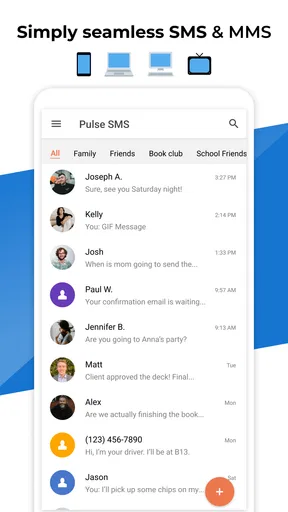
Right off the bat, Pulse SMS impresses with its sleek design and intuitive interface. The installation process is straightforward, and within minutes, I was up and running. The app sports a modern look with customizable themes, which is perfect if you’re like me and love personalizing your gadgets.
One of the first things I noticed was how responsive the app is. Scrolling through conversations felt buttery smooth, and I didn’t encounter any lag, even when loading older messages. Pulse SMS manages to keep things simple, without cluttering the interface with unnecessary features.
Cross-Platform Compatibility: A Game Changer
Now, this is where Pulse SMS truly shines. The app offers seamless cross-platform compatibility, allowing you to send and receive messages from your phone, tablet, or even a web browser. This feature is a game changer for anyone who spends a significant amount of time on their computer and wants to keep their phone out of sight.
Setting up the web app was a breeze. All I had to do was sign in with my account, and voila! My messages were there, ready to go. It’s incredibly convenient to type out longer messages using a full keyboard, especially when you’re multitasking at work.
Rich Features: More Than Just Messaging
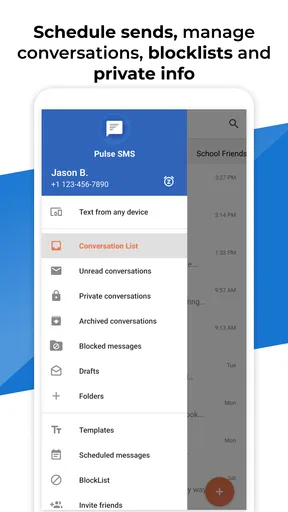
Beyond basic messaging, Pulse SMS packs in a suite of features that enhance your texting experience. There’s support for scheduled messages, which is perfect if you need to send reminders or wish someone a happy birthday. You can also pin important conversations to the top, ensuring that you never miss a beat.
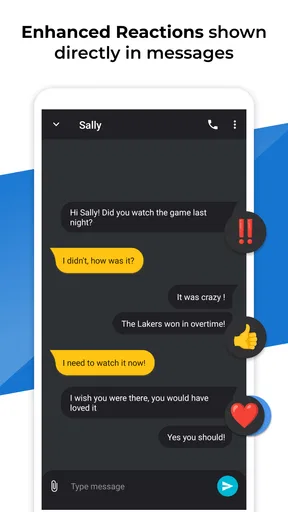
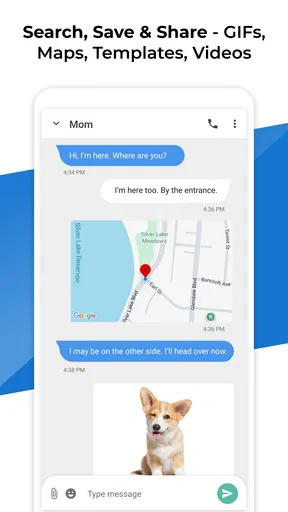
The app includes a nifty search function that makes finding specific messages a breeze. Additionally, there’s support for animated GIFs, stickers, and even location sharing, allowing you to express yourself beyond plain text.
Privacy and Security: Your Data Matters
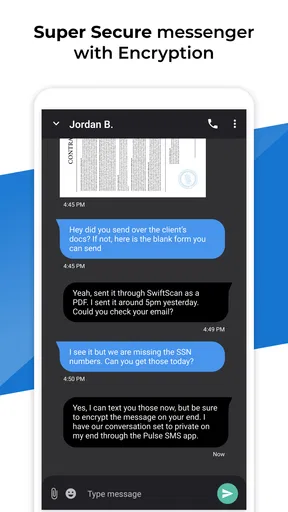
In today’s world, privacy is paramount, and Pulse SMS takes this seriously. The app encrypts your data to ensure that your messages remain private and secure. Plus, there’s an option to protect the app with a password or fingerprint lock, adding an extra layer of security.
For those concerned about backups, Pulse SMS automatically backs up your messages to the cloud. This means that even if you switch devices, your conversations are safe and easily retrievable.
Customization Galore: Make It Yours
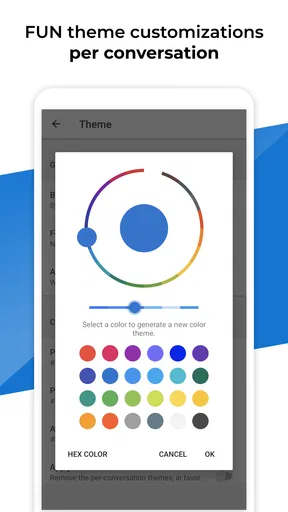
If you’re someone who loves to tweak settings and make an app truly yours, Pulse SMS won’t disappoint. From custom notification sounds to individual conversation colors, the app offers a plethora of customization options. I had a blast playing around with different themes and layouts to match my mood.
The app even supports dual SIMs, which is a lifesaver for those who juggle multiple numbers. You can set different themes and notifications for each SIM, making it easy to differentiate between personal and work messages.
Keeping it useful beyond the first week
Personalization is enjoyable at first, but I think the lasting value comes from a setup that makes incoming messages easier to sort at a glance. Distinct conversation colors or notification sounds can help separate work and personal threads, particularly when both numbers are active on a dual-SIM phone. I would keep those differences simple and recognizable; too many custom choices can make the inbox harder to scan instead of clearer.
The same goes for themes. A comfortable appearance can make an app nicer to use every day, but I would not spend time constantly changing it in search of a perfect look. Once the interface feels readable and the important conversations are easy to find, the practical question is whether the app saves effort during the week. That is a better measure of value than how many options I explored on day one.
Maintenance, compatibility, and the small print
Before making any messaging app the center of a routine, I would check that it suits the devices and operating system I actually use. Pulse SMS is free to download, is rated for Everyone, and its current version is 6.10.0.3034; Android support starts at version 6.0. In-app purchases range from $0.99 to $149.99 per item, so I would look at the specific purchase details in the app rather than assume every capability or option is included at no cost.
That price range makes it sensible to approach optional purchases with a clear question: what recurring inconvenience would this solve for me? If the free experience already covers the way I text, there is no reason to buy something simply because it is offered. If a paid option is relevant, I would first confirm what it unlocks and whether I will use it often enough to justify the expense.
Maintenance is mostly about keeping expectations realistic. A connected setup is only convenient if the other device remains accessible and the account workflow continues to suit you. If you rarely use a tablet or computer for personal messages, remember that another interface can become one more thing to set up and revisit. I would try it in the places I expect to use it before depending on it for important conversations.
How it compares with familiar alternatives
The usual alternative is simply the messaging app already on your phone. That is often the right choice if you want a straightforward inbox and do not need to reach your SMS conversations from other screens. Pulse SMS makes more sense when access across devices, customization, or tools such as scheduling and pinning solve a real problem. It is not automatically better just because it offers more ways to arrange messages.
Compared with using separate chat services, the important distinction is the kind of conversation you need to handle. Pulse SMS is a fit for text messaging, while a dedicated chat app may be better when your friends or groups already rely on that service’s specific features. I would not move every conversation just to create one tidy-looking inbox; choosing the app people around me actually use is usually more important than having a single interface.
Pulse SMS has an average rating of 3.6 from around 81,000 ratings, alongside about 17,000 written reviews, and has passed over one million installs. Those figures suggest a well-established audience, but they do not tell me whether it fits an individual routine. I would treat them as context, then judge the app by the practical test: can I comfortably find and reply to the SMS conversations I care about from the screens I use?
Final Thoughts: A Must-Have for Texting Enthusiasts
After spending some quality time with Pulse SMS, it’s safe to say that this app is a must-have for anyone looking to streamline their messaging experience. Its cross-platform capabilities and rich feature set make it stand out in a crowded market.
Whether you’re a casual texter or someone who lives and breathes messaging, Pulse SMS offers something for everyone. It’s user-friendly, packed with features, and puts a strong emphasis on privacy and security. If you haven’t tried it yet, I highly recommend giving it a shot. You might just find it becomes an indispensable part of your digital life.
Who should keep it, and who can skip it
I would recommend giving Pulse SMS a try if I regularly answer SMS from a computer or tablet, value being able to search older conversations, or benefit from separating two numbers. It is especially appealing when those needs recur throughout the week rather than showing up once in a while. If I only text from my phone and its existing messaging app already feels comfortable, switching may not improve enough to justify changing habits.
For me, the best long-term test is simple: after setting up the screens I actually use, do I still choose them naturally a few weeks later? If yes, the shared access and small workflow conveniences are doing useful work. If I keep returning to the phone out of habit, or find myself maintaining a web session I rarely need, the app may be more elaborate than my routine calls for. That is not a failure; it is a sign that the simpler default is a better fit.
My overall view is that Pulse SMS earns lasting space for people whose texting routine genuinely crosses devices. Its strongest case is practical rather than flashy: a full keyboard for longer replies, easier access away from the handset, and organizational tools that can help keep recurring conversations visible. The trade-off is that extras, customization, and connected access only matter when they remain useful after the first week. I would install it with a specific everyday need in mind, keep the setup focused, and let that need—not the novelty—decide whether it stays.
Verdict
Strengths of Pulse SMS (Phone/Tablet/Web)
- Cross-platform syncing available.
- Customizable themes and layouts.
- Supports dual SIM functionality.
- Scheduled message sending feature.
- Secure with end-to-end encryption.
Limitations of Pulse SMS (Phone/Tablet/Web)
- Limited free version features.
- No support for third-party integrations.
- Occasional notification delays.
- Complex setup for non-tech users.
- Subscription required for full access.
Other Releases by Maple Media
View All
Pic Stitch: Collage Maker
Photography3.4

Super Simple Shopping List
Shopping3.6

Wind Compass
Weather4.4

Snowboard Party World Tour Pro
Sports4.4
Similar Picks in This Category
View All
Google Messages
Google LLC4.6

Gmail
Google LLC4.1

Google Meet
Google LLC4.4

Google Chrome
Google LLC4.1

WhatsApp Messenger
WhatsApp LLC4.6

Carrier Services
Google LLC4.2
Frequently Asked Questions
What platforms does Pulse SMS support?
Pulse SMS is a versatile app that supports Android phones, tablets, and web browsers. It allows users to seamlessly send and receive text messages across multiple devices, ensuring that you can stay connected whether you're at home or on the go. It's a great solution for those who want flexibility and accessibility.
Is Pulse SMS secure for sending messages?
Yes, Pulse SMS prioritizes user security by implementing end-to-end encryption for all messages. This means that only you and the recipient can read your conversations, keeping your information private and secure from unauthorized access. It's an excellent choice for those who value privacy in their communication.
Can I customize my messaging experience with Pulse SMS?
Pulse SMS offers extensive customization options, allowing users to personalize their messaging experience. You can change themes, customize notifications, and even schedule messages. This flexibility helps tailor the app to your preferences, making it a top choice for users who enjoy a personalized app interface.
Does Pulse SMS support multimedia messaging?
Yes, Pulse SMS supports multimedia messaging (MMS), enabling users to send images, videos, and audio clips. This feature enhances communication by allowing rich media to be shared easily. Whether you're sharing a quick photo or a video clip, Pulse SMS makes multimedia messaging simple and efficient.
Is there a cost associated with using Pulse SMS?
Pulse SMS offers a free version with essential features, but it also provides a premium subscription for additional benefits. The premium version includes features like message backup, cross-device syncing, and more advanced customization options. Users can choose the version that best fits their needs and budget.
